
How TeamFlow works
TeamFlow shows each ticket and each agent at the stage it really reached. You add your own checks at any step. When an agent gets stuck, TeamFlow fixes it or tells a person.
Every workstream, gate by gate
Every Jira, Linear or GitHub issue, and every agent on it, sits at one of eleven stages. The plugin and your CI report each move as it happens, from the tracker through local dev, test and audit to verified in dev.
Delivery Flow
Rework is drawn at the gate that failed, never as a column.
The plugin decides the stage from the work you were already doing. Edits, test runs, audits, merges and deploys each become one report, and background CI posts its own through the same route, so a build that finishes at 3am still moves the ticket.
Manage your agentic SDLC
Add the checks your team already trusts to the way your agents build software, and put each step where it belongs. The plugin sets every step up in each repository, so nobody copies a line of config. Your coding agent reads your instructions before it starts.
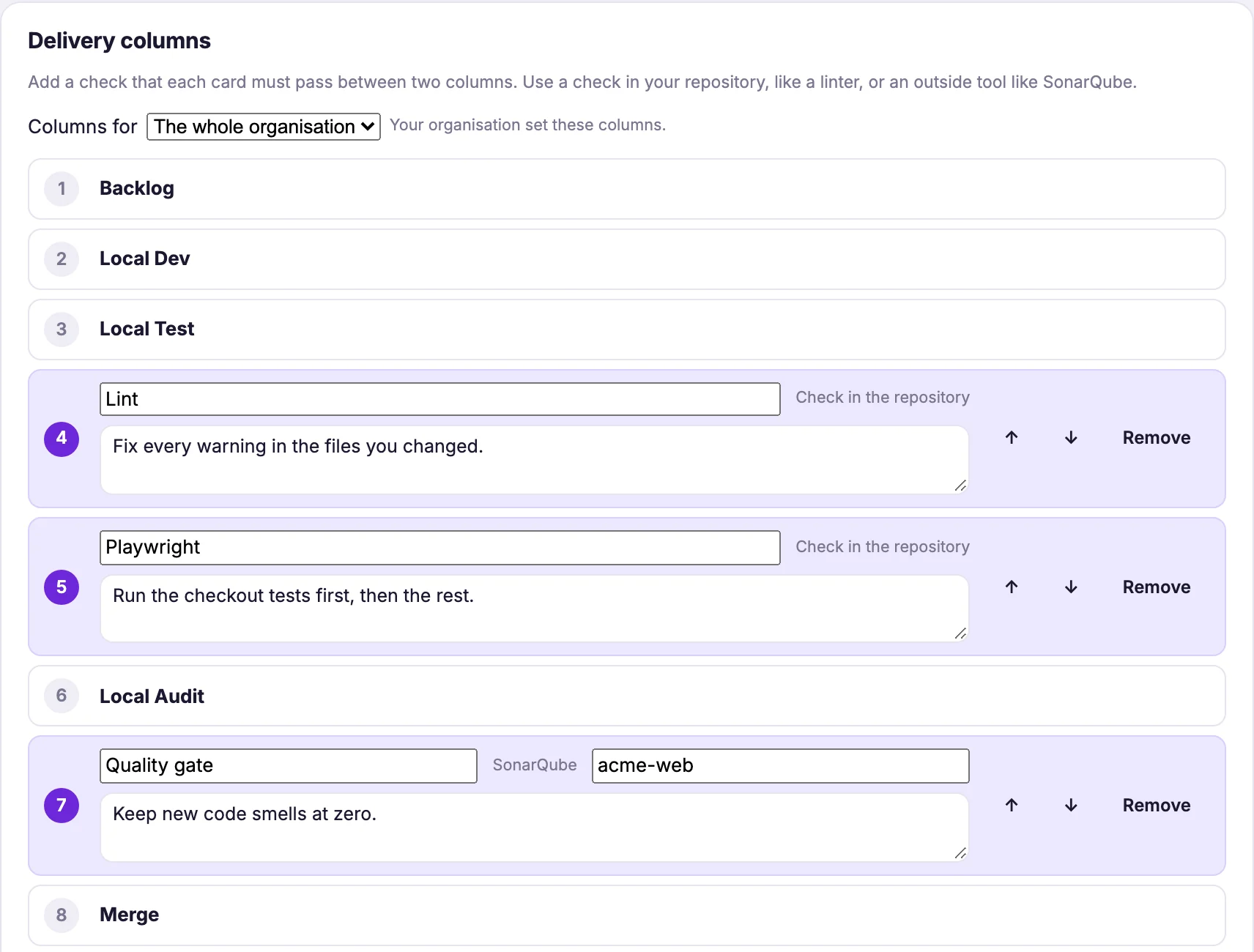
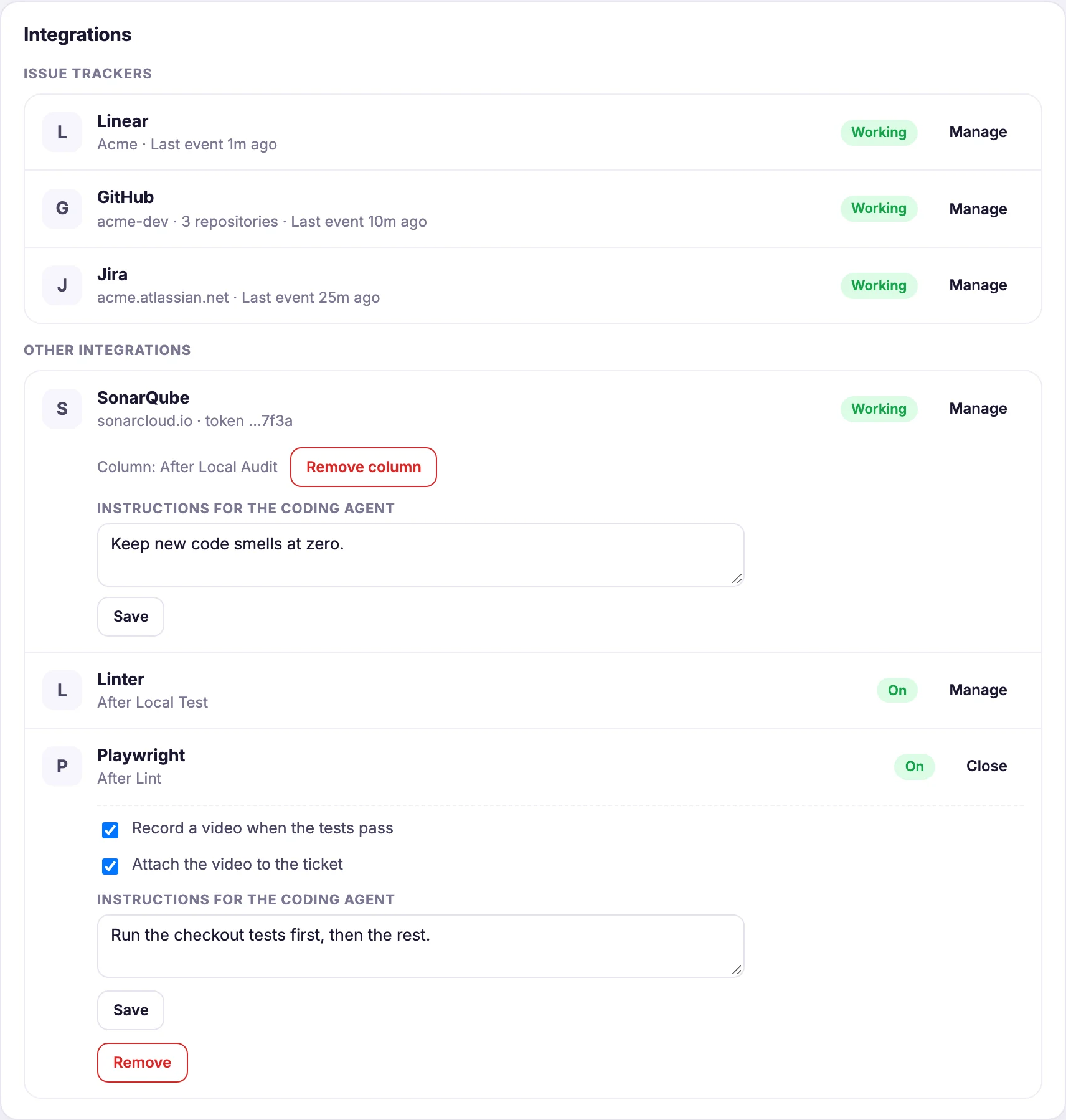
- Lint every change, in any language. Add a lint step and TeamFlow uses your own lint script. No script? It brings MegaLinter, which reads more than fifty languages.
- Browser tests as a gate. A Playwright step holds the work until your tests pass. Turn on video, and every passing run is recorded.
- SonarQube where you want it. Connect once, then place the quality gate at any step. The work waits for the pass.
- Tell the agent how. Each step carries your instructions, like "run the checkout tests first". The agent reads them as advice. TeamFlow never runs them.
- Anywhere, any time. Add a step after any other. Move it later. Every board follows at once.
Stalled, orphaned and crashed agents, fixed
A self-learning model watches every agent. It reads each stall, crash, failed check and loop. TeamFlow fixes the routine cases itself, within limits you set. Anything serious goes to a person, with the reason.
- Fixes the routineIt restarts a stuck step, resumes a plan that stopped and prepares a small fix. You set how often it may act, per ticket and per organisation.
- Escalates the rest to a humanA serious problem stops and goes to the developer first, never to a third party. On Team and Growth, a lead can send a fix, run a check again or skip it with a reason.
- Learns from your own dataTeamFlow learns from your organisation's own data, and never shares it.
- Never runs your codeNothing from the web runs on a developer's machine. A fix arrives as advice, or as a step the machine already knows how to take.
Next
See the plans, read what TeamFlow never sees, or set it up in ten minutes.